User Management
5 min
User Management - Add and Delete Users
Click New to add a new user, configure the user's role, set a password, and add other notes to the description.
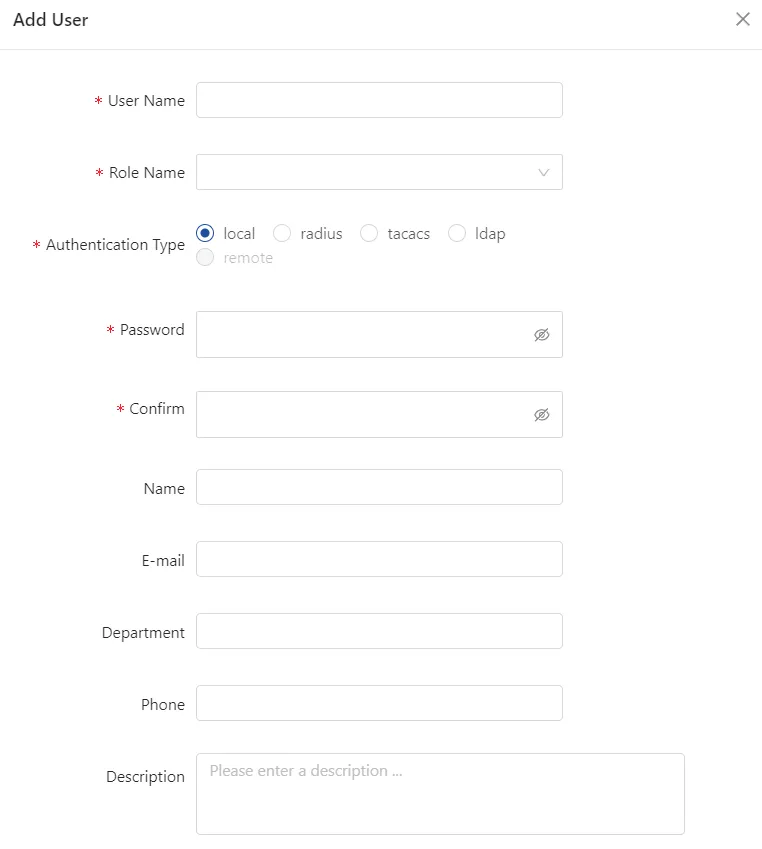
New Users
Ticked users can be deleted, admin users cannot be deleted
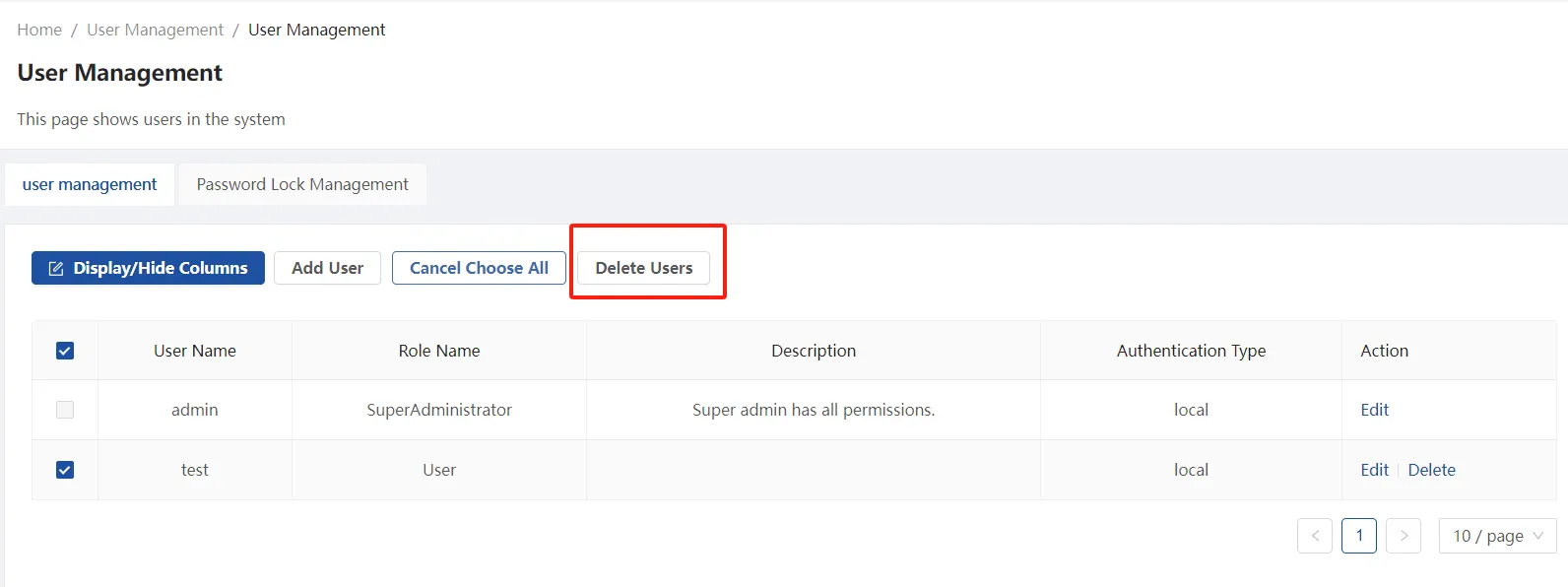
Deleting Users
User Management-Password Lock Management
Click Password Lockout Management to change the number of lockouts and lockout time for logged-in users.
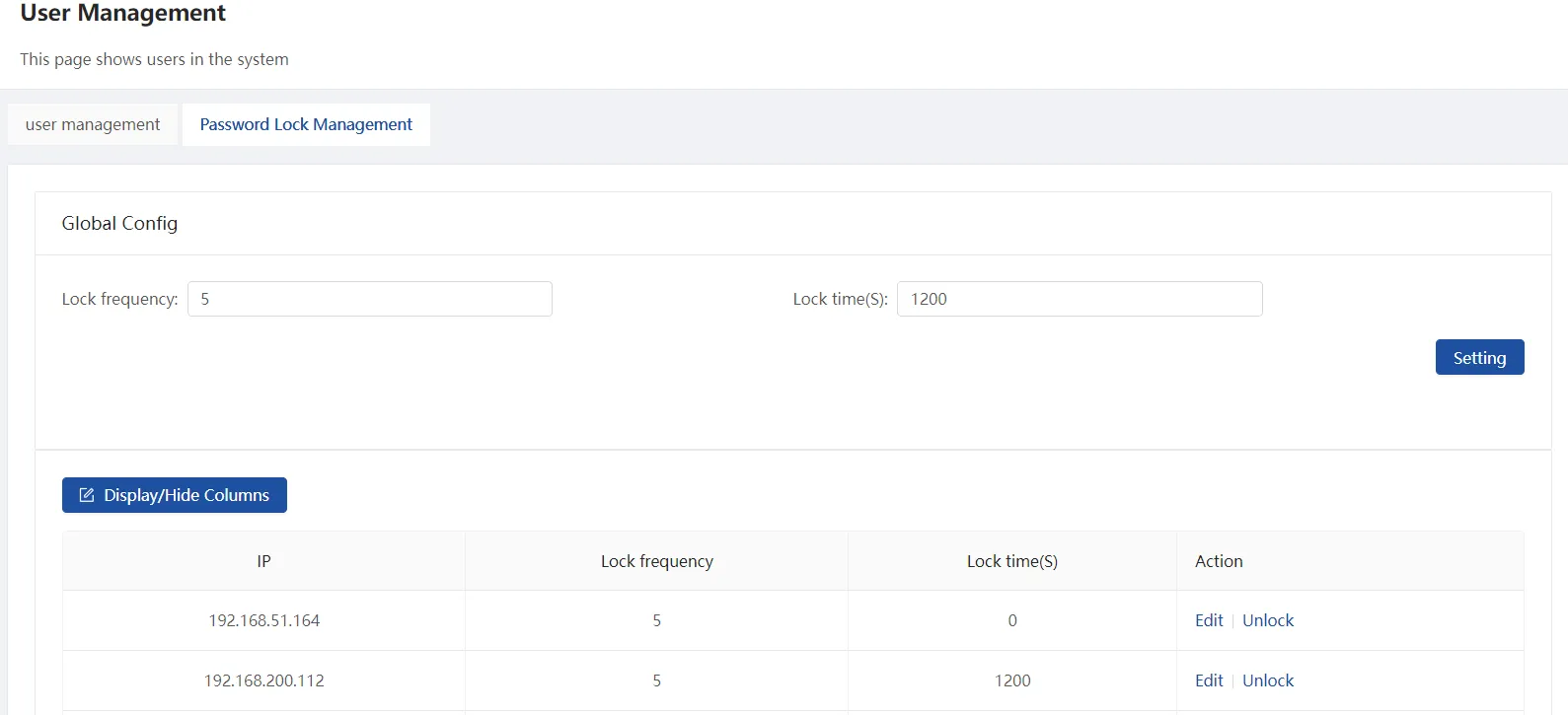
Password lock management
Role Management
This page allows you to classify the read and write privileges for a user's role and to add other roles, of which SuperAdministrator privileges cannot be changed or deleted. the Administrator role cannot be deleted.
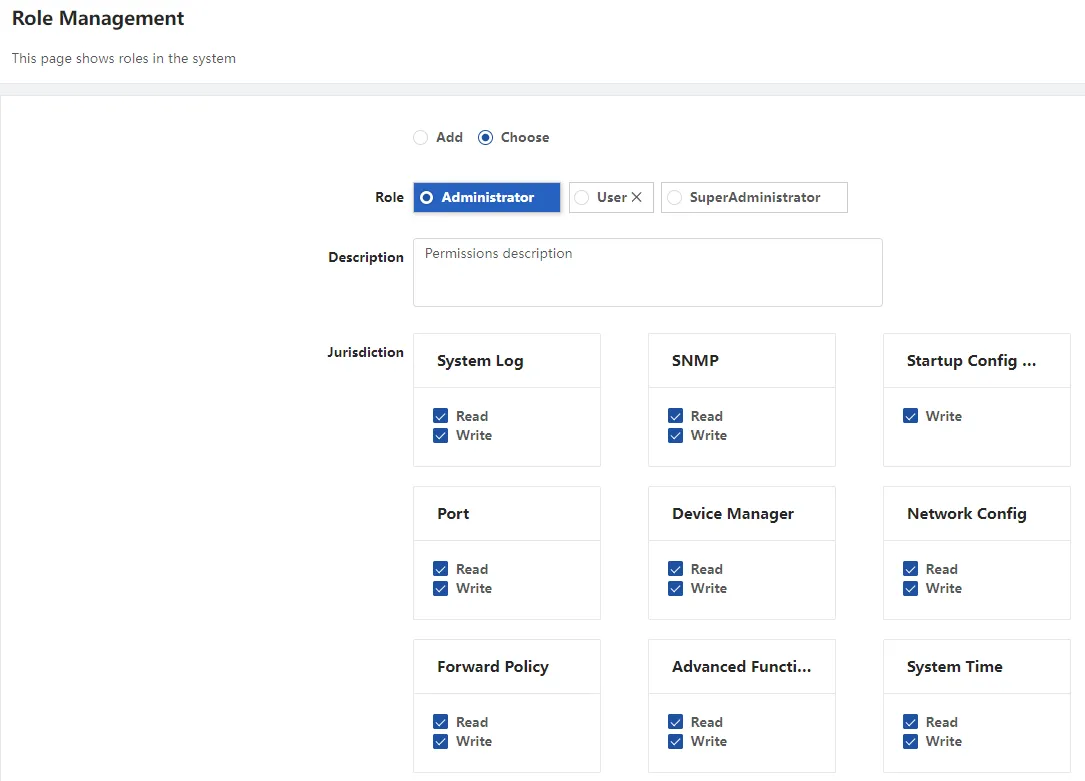
User Role Privilege Segmentation
Tacacs+
On the TACACS+ Authentication page, you can configure the TACACS+ server's IP address, shared key, and other settings.
[Configuration Steps]
- Navigate to User Management → TACACS+ Authentication to access the configuration page.
- Configure the TACACS+ server address, port, and shared key, then click Confirm to apply.
- Redundant TACACS+ servers are supported, with both servers active simultaneously.
- Global configuration is supported. If no authentication method, shared key, or timeout is specified for a particular server, the system will default to the global settings.
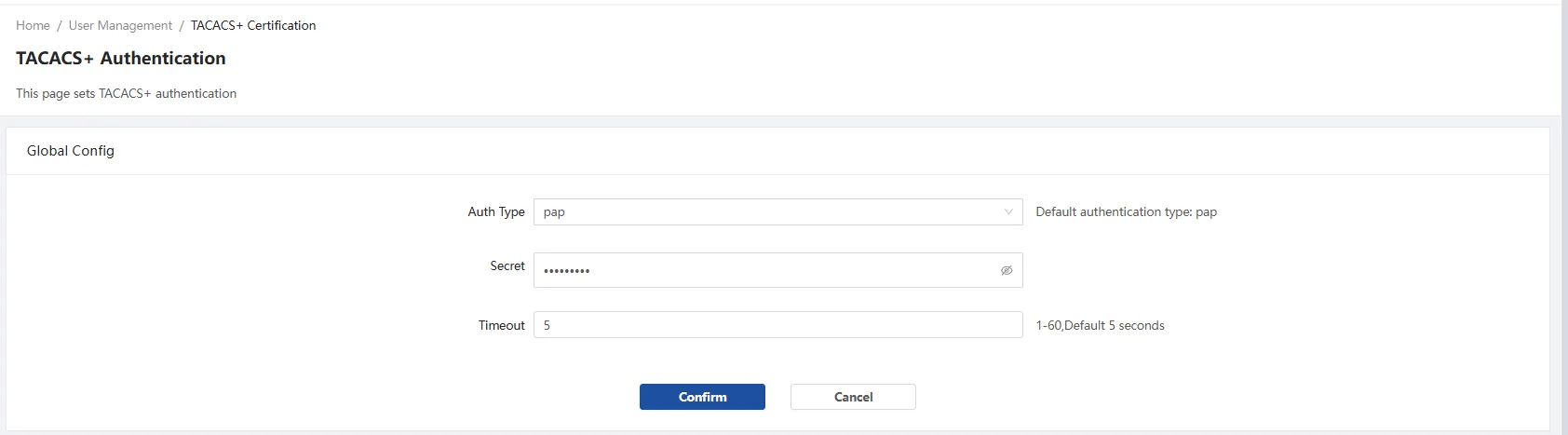
TACACS+ Global Config
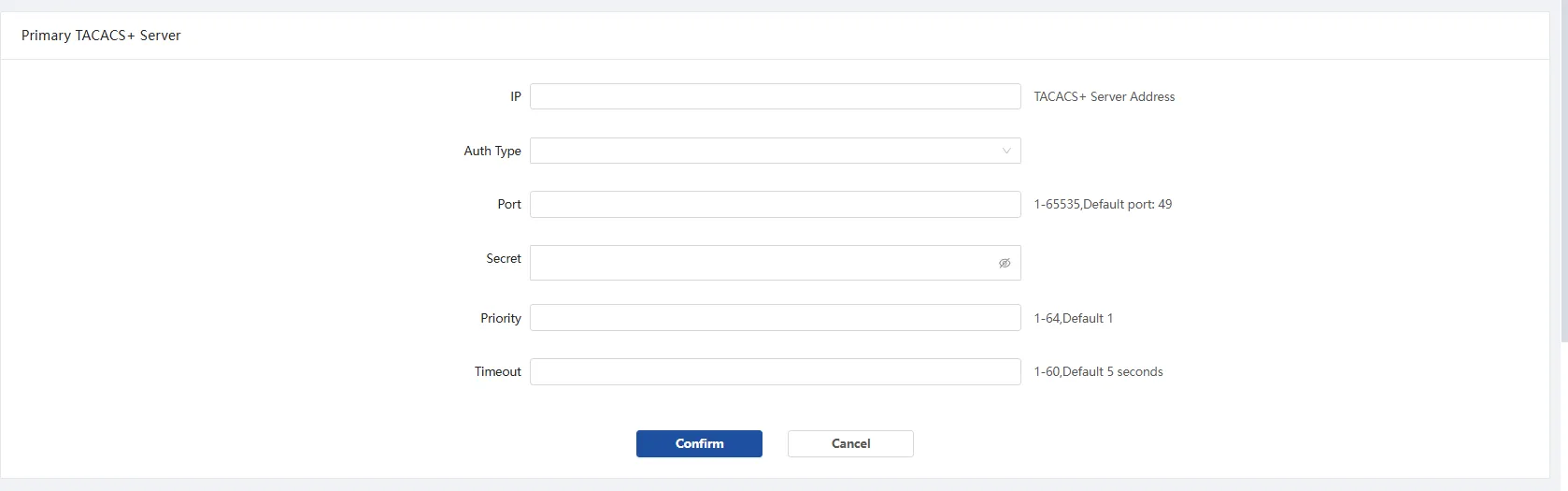
Primary TACACS+ Server
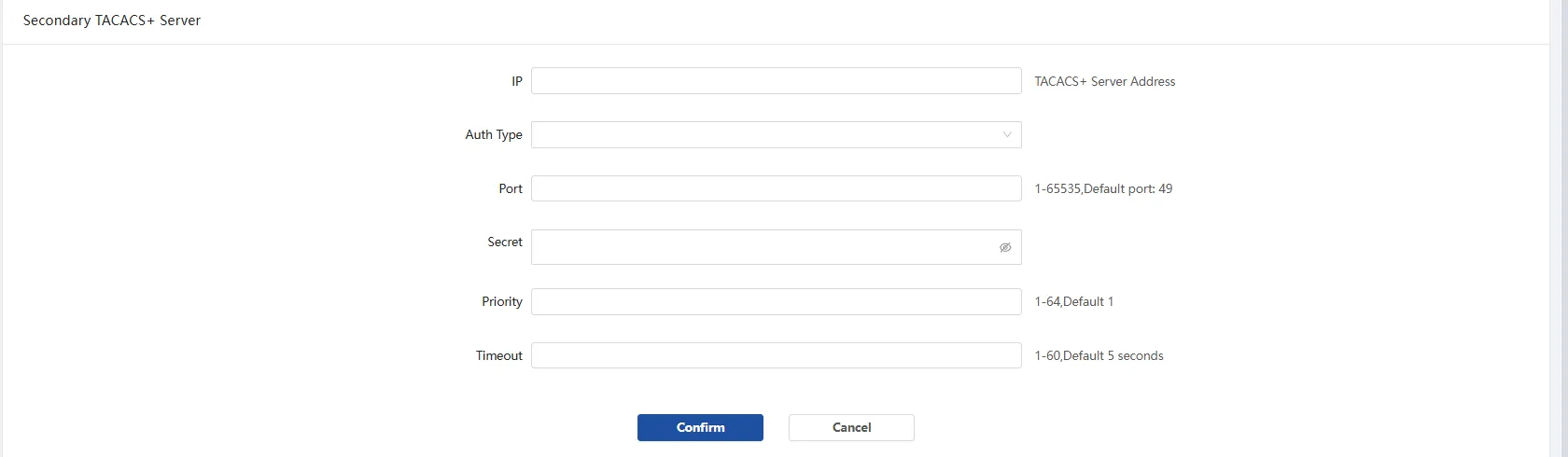
Secondary TACACS+ Server